
Click any text to edit
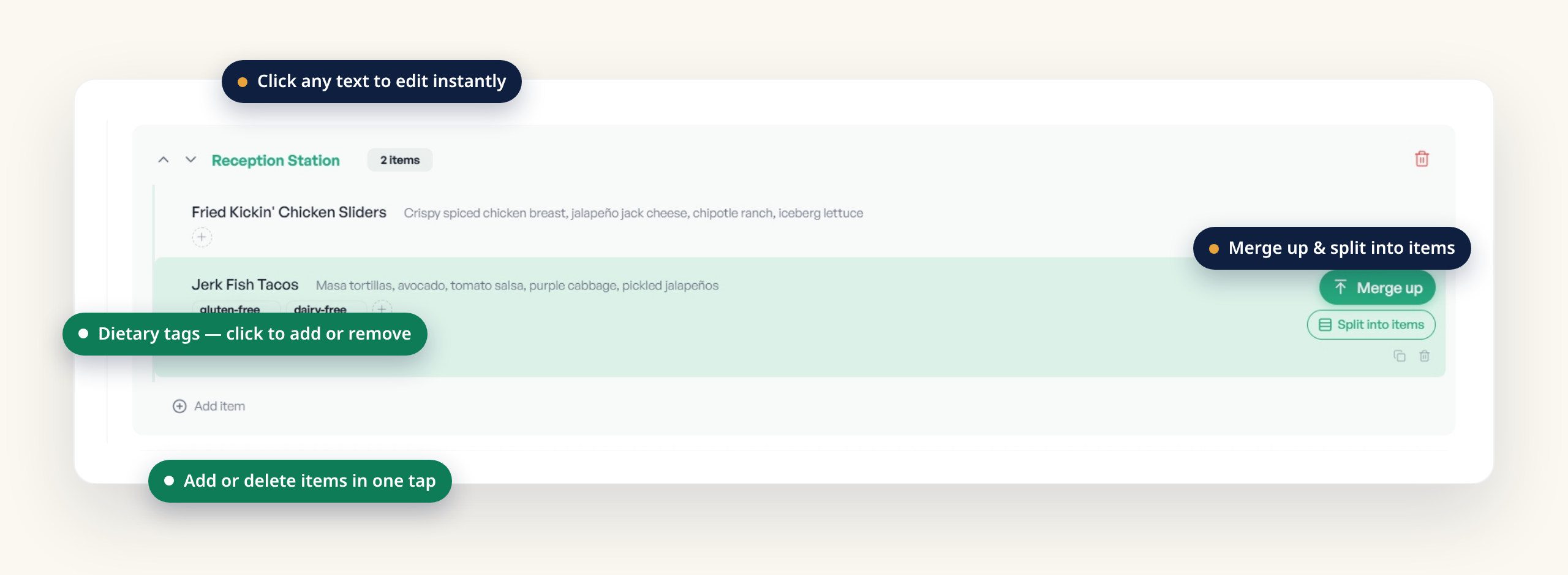
Every station name, item name, and description is editable. Click the text, type the correction, and move on. If the AI mistyped a dish or shortened a description, you fix it inline — no separate form, no re-upload.
BanquetLabel reads your BEO and gives you a strong first draft of every label in seconds. When the AI misses an item or gets a description wrong, you stay in control — the Customize editor makes the fix fast and easy.
BanquetLabel parses your event order and pulls out stations, dish names, descriptions, and likely dietary tags automatically. That saves you the hour of retyping. But no menu reader is perfect — a handwritten note, an unusual abbreviation, or two dishes on one line can trip it up.
That is exactly what the Customize editor is for. Every correction is a click away, and every change autosaves as you go. Below is what you can fix, and how fast each fix is.
Every station name, item name, and description is editable. Click the text, type the correction, and move on. If the AI mistyped a dish or shortened a description, you fix it inline — no separate form, no re-upload.
Add or remove dietary tags per item with a single click — gluten-free, dairy-free, vegan, vegetarian, nut-free, halal, and kosher. Confirm the tags the AI suggested, add one it missed, or clear one that does not apply.
If the AI combined two dishes into one row, Split into items breaks it into separate labels — one per dish. If it split something that belongs together, Merge up folds the row into the item above. Two buttons, two common fixes.
Missed a dish entirely? Add Item drops a new row under any station in one tap. Got an extra the AI pulled in by mistake? Delete it just as fast. Stations and items stay yours to shape.
Pick the font that fits your event and set the case. Independent size controls for the station header, item title, and description let you fit long dish names or open up a short menu — reset to defaults any time.
Toggle a white background to override the template color, and switch the station name, header artwork, and footer artwork on or off. Tune what each label shows without leaving the editor.
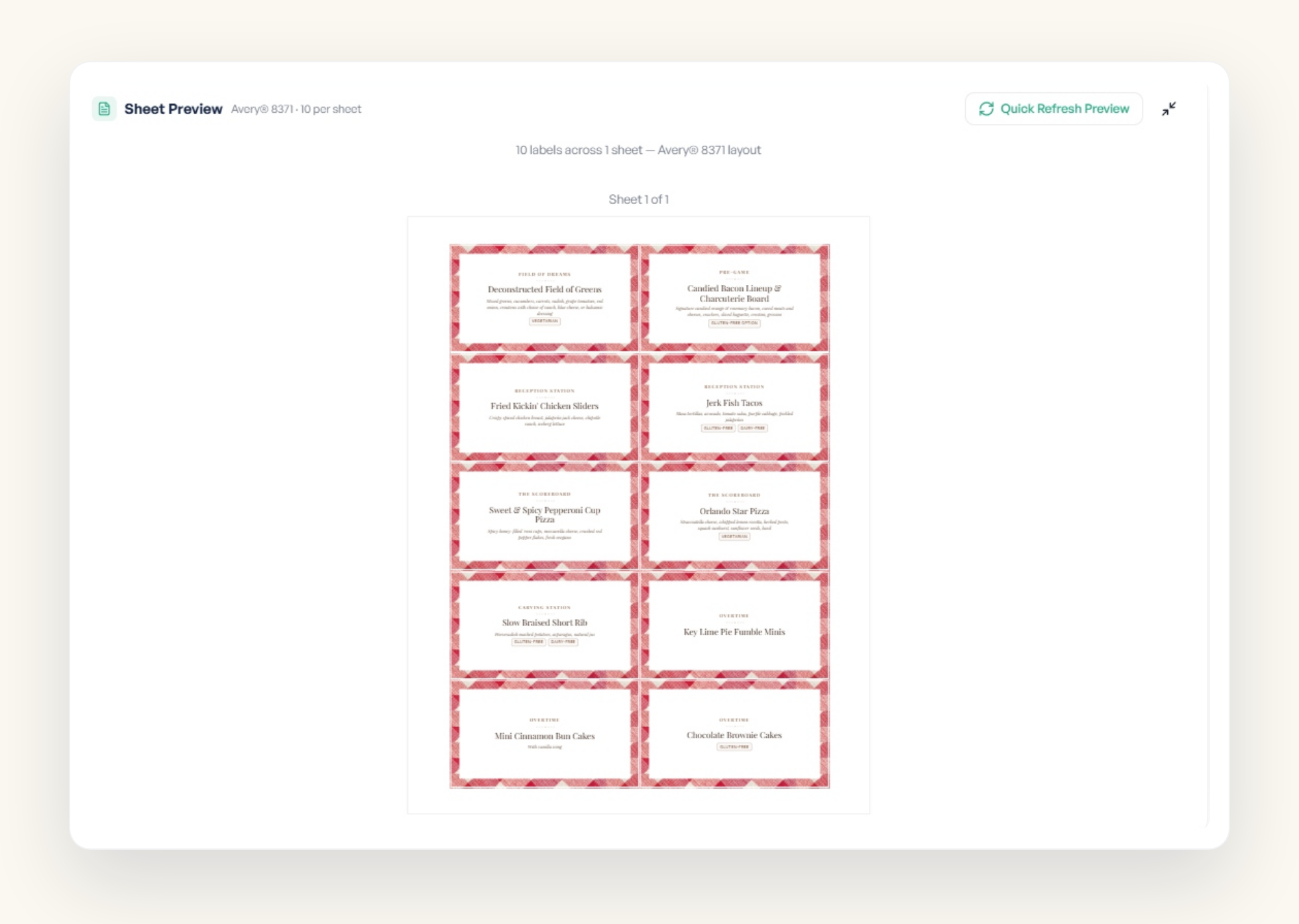
Every edit shows up in the label preview as you work. When you are ready, use Quick Refresh Preview to lay out the full sheet — your corrected text, dietary tags, fonts, and display options all applied — so you can confirm the menu reads right before you download the Avery®-compatible PDF.
Start your 30-day free trial. No credit card required. Upload a BEO, let the AI draft your labels, and use the Customize editor to make it exactly right.
Get started free