
Hours lost in Canva®, Word®, and Excel®
Resizing labels, aligning Avery® grids, swapping dish names by hand — it adds up to hours every event week. BanquetLabel collapses that into a single workflow.
BanquetLabel makes food labels for events — the buffet food label maker hotels, caterers, venues, and event teams use to turn any banquet event order into print-ready Avery®-compatible labels. Upload your BEO, customize the design, and print station-ready buffet labels — without Word® or formatting guesswork.
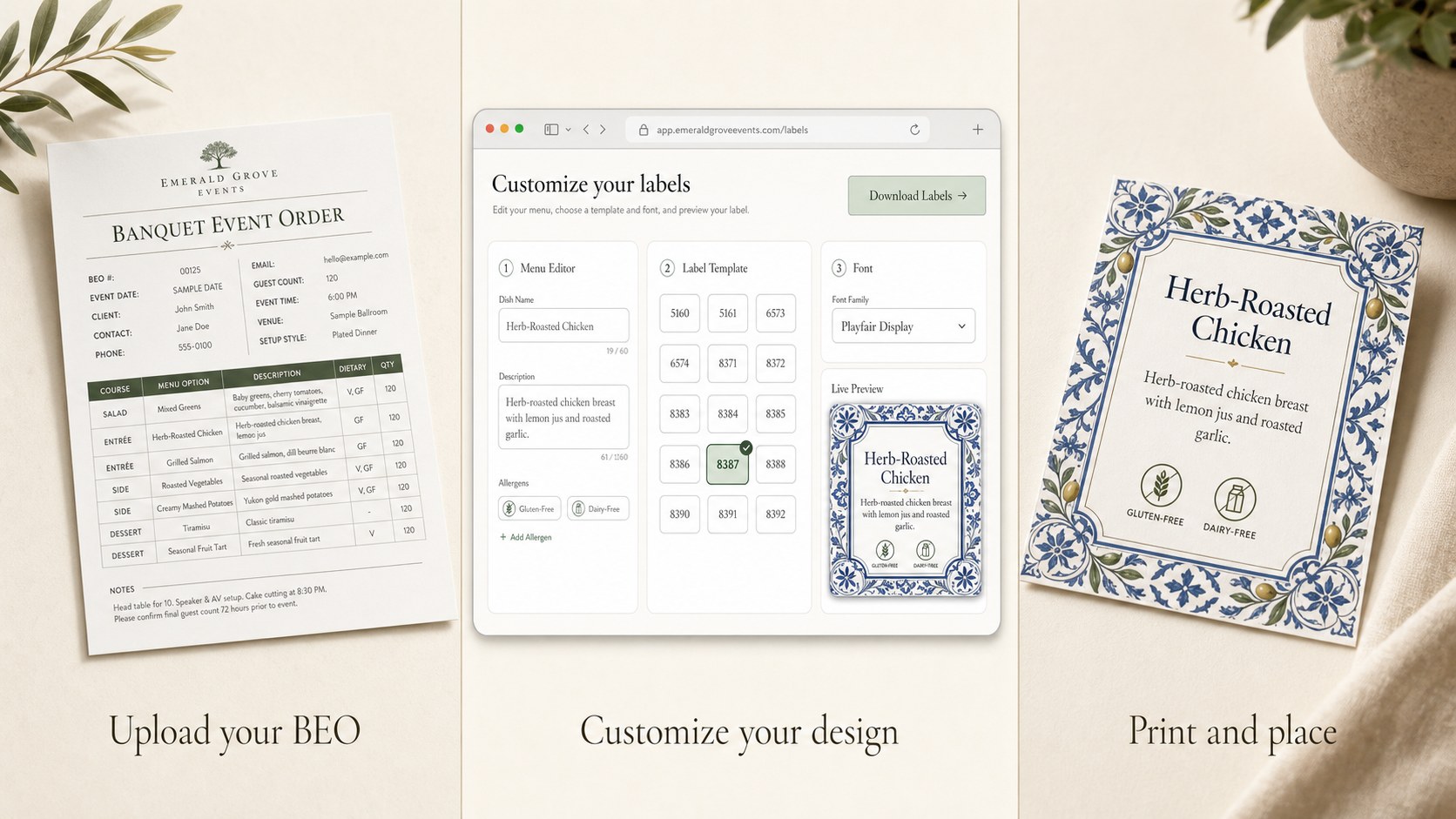
Most banquet and off-site teams are still rebuilding the same buffet labels from scratch every week. BanquetLabel fixes the three biggest time sinks.
Resizing labels, aligning Avery® grids, swapping dish names by hand — it adds up to hours every event week. BanquetLabel collapses that into a single workflow.
Manually re-typing allergens for every event is where errors creep in. BanquetLabel auto-tags common dietary needs so callouts stay accurate across every station.
Wedding packages, corporate buffets, brunch menus — most repeat. Save them once in the menu library and reprint with a click for the next event.
Drop in a banquet event order PDF, snap photos, or paste your menu. BanquetLabel reads the dishes, descriptions, and station structure automatically.
Pick your theme, confirm dietary tags, and choose one of six print formats — Avery® 5388, 8371, 8387, 95273, the 5.5″×8.5″ half-page sign, or the 8.5″×11″ full-page sign. The preview updates instantly.
Download a print-ready PDF that lines up exactly with your Avery® sheets. Walk it straight to the printer — no resizing, no second-guessing.
Upload a PDF, snap photos, or paste a menu. Dishes, descriptions, and stations are parsed automatically — no manual retyping.
Common dietary tags — gluten-free, dairy-free, nut-free, vegan, vegetarian — are surfaced automatically with consistent visual treatment.
Save the menus you run again and again. Pull up last quarter's wedding package or brunch buffet in one click.
Six print formats: Avery® 5388, 8371, 8387, and 95273, plus the 5.5″×8.5″ half-page and 8.5″×11″ full-page station signs. Exact-fit PDFs line up the first time on the sheets you already buy.
Italian, Asian, Tropical, Spanish, and seasonal designs. Pick a theme per event without breaking your station hierarchy.
Need final-mile design tweaks? Export labels to Canva® for last-minute brand touches before sending to print.
Whether you're plating a 400-guest gala or labeling a 12-station food hall, BanquetLabel adapts to the way your team actually works. Caterers and planners call them event buffet labels, event food labels, or chafing dish labels — they're all the same thing, and BanquetLabel makes all of them. From banquet food labels for a 200-guest reception to buffet food labels for an executive lunch, the workflow is identical.
Generate fresh buffet labels for back-to-back banquets and ballrooms — reusable menus, consistent dietary callouts, and Avery®-ready PDFs every shift.
Print labels in your kitchen and ship them with the event. No on-site Canva® edits, no scrambled handwritten signs at the buffet line.
Match every package menu — plated, buffet, late-night — with elegant labels that pair with the venue's tabletop and your couples' branding.
Corporate dinners, holiday parties, fundraisers. Save the host's preferred menu once and reprint with new dates and dishes whenever they book again.
Wine dinners, tasting menus, private dining rooms. BanquetLabel lives alongside your POS so labels match the menu you're actually serving.
Multi-vendor food halls and pop-ups stay visually consistent across every station — without forcing every chef to fight Canva® on their own.
Start your 30-day free trial. No credit card required. Generate your first set of catering labels in under five minutes.
Get started free